
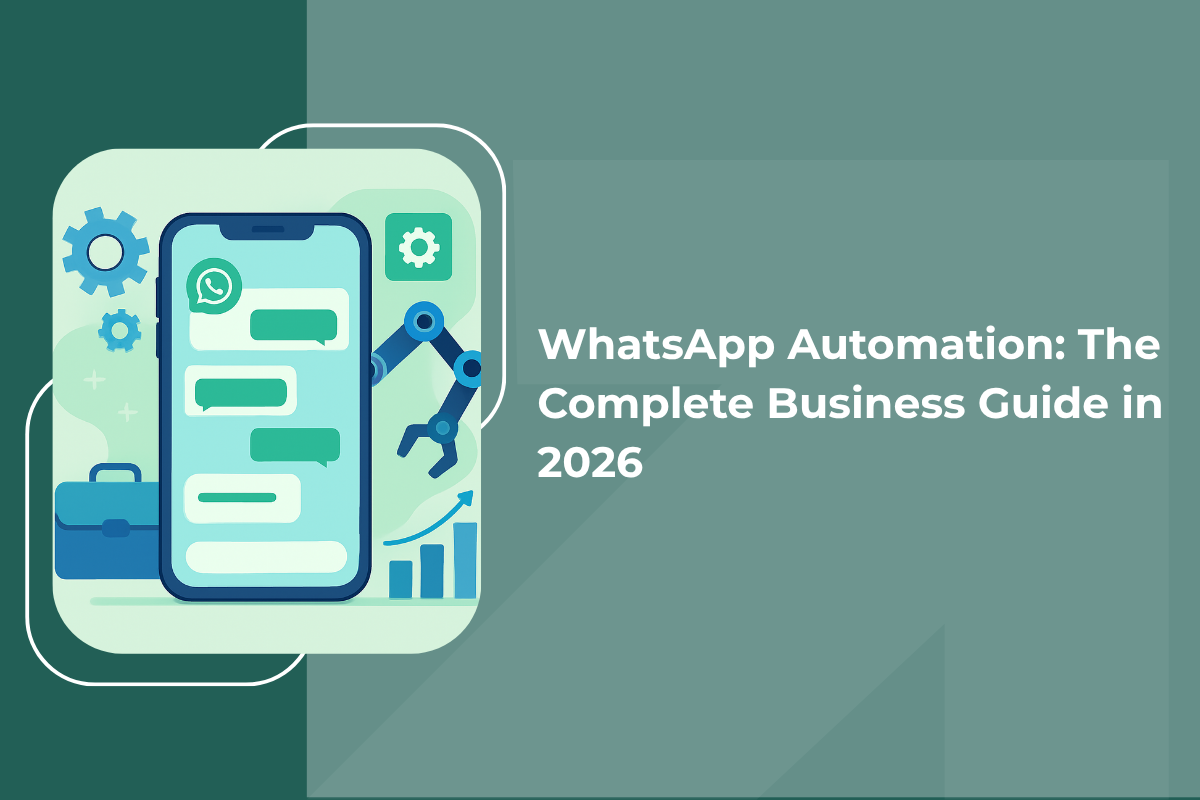
Too many messages. Too little time. Customers expecting instant replies. If your WhatsApp inbox feels like it never stops - this guide is for you. We'll show you exactly how to automate it, what tools to use, what's legal, and how Indian businesses are using it to grow faster.
What Is WhatsApp Automation?
WhatsApp automation simply means using software to send messages, reply to customers, or run entire conversations on WhatsApp - automatically, without someone doing it by hand each time.
Think of it like a helpful assistant that never sleeps. When a customer messages your business at 11 PM, automation can greet them, answer common questions, show your product catalogue, and even collect their details - all before your team comes online the next morning.
Importantly, automation doesn't replace your team. It handles the boring, repetitive stuff - "What are your timings?", "How do I track my order?", "What's the price?" - so your people can focus on conversations that actually need a human touch.
Why Automate WhatsApp? The Business Case
For Indian businesses especially, WhatsApp is where customers already are. Automating it isn't just about saving time - it's about not losing business when you're not available. Here's what automation realistically delivers:
- 24/7 availability - no missed enquiries at 2 AM, on weekends, or during festivals and peak seasons.
- Instant replies - customers messaging a business expect a response within minutes. Automation delivers that every single time.
- Less work for your team - bots comfortably handle routine questions (order status, timings, FAQs), freeing your team for complex issues.
- Scale without extra hiring - whether you get 50 messages a day or 5,000, automated systems handle the volume without burning out your staff.
- Consistent communication - every automated message has the same tone and accuracy. No tired team member sends a confusing reply on a Friday evening.
5 Practical Ways to Automate WhatsApp for Your Business
1. Greeting New Contacts
When someone messages your business for the first time, an automated greeting acknowledges them right away. Even a simple "Hi! Thanks for reaching out. We'll get back to you shortly" stops customers from bouncing because of silence.
You can go further - the greeting can include a quick menu: "Reply 1 to book an appointment, 2 to check our services, 3 to speak with our team." This works brilliantly for clinics, salons, coaching institutes, and service businesses.
2. Automated Follow-Ups
If a prospect asked about your product but went quiet, automation can send a follow-up after 24 hours: "Hi [Name], just checking in - did you have any questions? Happy to help." This keeps deals moving without your team having to manually track and remember every conversation.
Real example: Nissan Saudi Arabia used WhatsApp automation to let potential car buyers browse their inventory, book test drives, and connect with dealers - entirely inside a chat window, without a salesperson managing each conversation manually.
3. End-to-End Sales Process
For businesses with straightforward products or services, automation can handle the complete journey - from first contact, to product showcase, to quote, to payment confirmation. This works especially well for e-commerce, digital products, and service packages with fixed pricing.
4. Promotions and Broadcast Campaigns
Instead of copying and pasting promotional messages one by one, automation lets you send pre-approved campaigns to your entire opted-in customer list at once. Flash sale alerts, festive offers, re-engagement messages for dormant customers - all sent in minutes.
5. Customer Service and Order Tracking
E-commerce and logistics businesses use WhatsApp automation to give customers real-time delivery updates, arrival times, and return instructions - without clogging up a support team with hundreds of repetitive "where's my order?" queries every day.
How to Set Up WhatsApp Automation: Two Paths
The right setup depends on your business size and how much you need. There are two main options:
Option 1: WhatsApp Business App (Best for Small Businesses)
The WhatsApp Business App is free and easy to use - no technical knowledge needed. It's built for small teams managing conversations personally. It supports basic automation right out of the box:
- Greeting messages - automatically sent when someone contacts you for the first time
- Away messages - sent when you're unavailable or outside business hours
- Quick replies - saved shortcuts for your most frequently asked questions
- Broadcast lists - send the same message to up to 256 contacts at once
| ✅ Advantages | ❌ Limitations |
|---|---|
| Completely free | One device only - no multi-user access |
| Easy setup - no tech skills needed | Broadcasts limited to 256 contacts |
| Built-in product catalogue | No chatbot or conditional logic |
| Works on Android and iOS | No analytics or reporting |
Option 2: WhatsApp Business API (Best for Growing Businesses)
The WhatsApp Business API isn't a standalone app - it's a system that connects to third-party platforms and CRM tools. It unlocks much more powerful automation:
- Chatbots with multi-step flows and conditional logic
- Broadcasts to unlimited opted-in contacts
- Multi-agent team inboxes - your whole team handles WhatsApp together
- CRM integrations - connect WhatsApp to your sales pipeline
- Detailed analytics - delivery rates, read rates, response times
- Meta-approved message templates for outbound outreach
Meta offers two API versions:
| API Type | What You Need to Know |
|---|---|
| WhatsApp Cloud API | Hosted by Meta. Free to access (messaging fees apply). Instant approval. Recommended for most businesses. |
| WhatsApp On-Premise API | Hosted on your own servers. More control, more complexity. Suited to large enterprises with specific data requirements. |
| ✅ Advantages | ❌ Limitations |
|---|---|
| Unlimited contacts for broadcasts (with opt-in) | Not free - messaging fees per conversation |
| Multi-agent team access | Needs a third-party platform to manage |
| Full chatbot and automation flows | Outbound messages must use approved templates |
| Deep CRM integrations | More setup involved than the Business App |
| Analytics and reporting | |
| Scales with your business |
How to Send Bulk WhatsApp Messages Without Getting Banned
Bulk messaging on WhatsApp is only officially supported through the API. The Business App caps broadcasts at 256 contacts, and using unofficial tools to go around this puts your account at serious risk of permanent suspension.
Through the API, bulk sends work through pre-approved message templates. Follow these rules to protect your account:
- Only message contacts who have actively opted in - and keep records of that consent.
- Use approved template messages for any outbound contact outside the 24-hour conversation window.
- Watch your quality rating in Meta Business Manager - if it drops to 'Low', your sending limits get restricted.
- Space out large campaigns - don't send everything at once. Sudden spikes in volume trigger spam detection.
Starting limits: Typically 1,000 unique contacts per 24 hours. This scales upward automatically as your account shows good engagement and low block rates.
Creating WhatsApp Message Templates That Actually Get Approved
Any message sent outside an active 24-hour conversation must use a Meta-approved template. Templates fall into three categories:
| Category | Use Case & Key Rules |
|---|---|
| Marketing | Promotions, offers, product announcements. Must include an opt-out option. |
| Utility | Order confirmations, appointment reminders, account updates. No promotional language allowed. |
| Authentication | One-time passwords and verification codes only. |
Common reasons templates get rejected:
- Putting promotional language in a utility template (e.g., sneaking an upsell into an order confirmation)
- Missing or broken placeholder variables
- Vague or misleading content that Meta can't match to the stated category
Top WhatsApp Automation Tools (2026 Comparison)
There are many tools in the market. The right one depends on your message volume, team size, integrations you need, and budget. Here's an honest comparison:
| Tool | Best For & Key Strengths |
|---|---|
| WATI | E-commerce businesses. Strong product catalogue integration and an easy chatbot builder. |
| Respond.io | Teams needing multi-channel support. Manages WhatsApp alongside Instagram, Messenger, and live chat. |
| Twilio | Developers and technical teams. Maximum flexibility to build fully custom WhatsApp workflows. |
| Interakt | Small to mid-sized businesses. Affordable entry point with solid template management. |
| GrowEasy Indian Brand ✓ | The only platform that combines AI-powered lead generation with WhatsApp automation in one place. Officially verified Meta Business Partner. Run ads → capture leads → auto follow-up on WhatsApp - all from a single dashboard. Built specifically for Indian businesses. |
Free WhatsApp Automation: What's Actually Possible
If budget is tight, the WhatsApp Business App gives you greeting messages, away messages, and quick replies at no cost. That covers the basics for a one-person operation.
Beyond that, free options run out quickly. No legitimate free tool offers chatbot flows, analytics, or broadcasts beyond 256 contacts through the official API. Platforms advertising "free unlimited broadcasts" are almost certainly using unofficial methods that violate WhatsApp's terms - and those accounts get banned.
Most paid API platforms in India start from around ₹2,500–₹4,500 per month, plus Meta's per-conversation messaging fees. For businesses handling significant volumes, the time and leads saved easily justify this cost.
Is WhatsApp Automation Legal? What You Must Know
Yes - WhatsApp automation is completely legal when done correctly. The rules are simple and straightforward:
- Consent is mandatory. You must get explicit opt-in before sending automated messages. Pre-ticked boxes or implied consent don't count. The customer must actively agree.
- Use official tools only. Third-party software that automates a personal WhatsApp number violates Meta's Terms of Service. Always use the Business App or API through an authorised provider.
- Respect the 24-hour window. After a customer messages you, you can reply freely for 24 hours. After that, you must use an approved template.
- Honour opt-out requests immediately. If someone asks to stop receiving messages, remove them without delay. Continuing to message them is the fastest route to account suspension.
5 WhatsApp Automation Mistakes That Hurt Results
- Over-automating everything. Automation works for routine, predictable interactions. When a customer has a complex complaint or unusual request, they need a real person. Always build a clear handoff from bot to human.
- Ignoring your metrics. Delivery rate, read rate, and response rate tell you what's working. If a message has a low read rate, something about the timing or wording needs to change. Review weekly, not monthly.
- Using unofficial tools. The short-term convenience of cheap, unverified automation tools is never worth the risk of permanently losing your WhatsApp Business account.
- Messaging too frequently. Over-messaging trains customers to ignore you - or block you. Prioritise quality and relevance over volume every time.
- Skipping the opt-in process. Sending automated messages to contacts who never agreed to receive them is both a policy violation and a fast track to a damaged quality rating.
How to Measure Whether Your WhatsApp Automation Is Working
Automation is not a set-and-forget exercise. Track these metrics consistently to know what's actually performing:
| Metric | What It Tells You |
|---|---|
| Delivery rate | Whether messages are reaching recipients. Low rates may indicate contact quality issues. |
| Read rate | Whether people are opening your messages. Below 50% suggests timing or relevance problems. |
| Response rate | Whether people are engaging. For campaigns, above 20% is generally strong. |
| Resolution time | For customer service flows - how quickly issues get resolved through automation. |
| Escalation rate | How often the bot hands off to a human. Very high rates mean your bot flows need work. |
| Opt-out rate | How many people unsubscribe after a campaign. High rates mean the content isn't relevant enough. |
Review weekly, not monthly. Small adjustments to message timing, wording, or flow logic can produce noticeable improvements within days. Don't wait a month to catch problems.
Getting Started: A Simple Action Plan
WhatsApp automation is not an all-or-nothing commitment. Here's a sensible step-by-step way to get started:
- Start with the Business App. Set up greeting and away messages. Get comfortable with how WhatsApp Business works before adding complexity.
- Identify your top 5 most common customer questions. Create quick replies or a simple FAQ flow for these. This alone saves hours every week.
- Build your opt-in process. A clear, compliant consent mechanism is the foundation everything else rests on. Don't skip this step.
- If your volume is growing, explore the API. Sign up for a free trial with one or two platforms - like GrowEasy - and test with a small segment of your audience first.
- Launch a small campaign. Measure. Adjust. Then scale. The businesses seeing the best results aren't the ones with the most complex bots - they're the ones who know exactly what their customers need at each stage.
Frequently Asked Questions
What is WhatsApp automation?
WhatsApp automation means using software or bots to send messages, reply to customers, or run conversations on WhatsApp automatically - without someone doing it by hand each time. It handles routine tasks so your team can focus on conversations that genuinely need a human.
Is WhatsApp automation legal in India?
Yes, completely legal - as long as you use official tools (WhatsApp Business App or API), get explicit opt-in from customers before messaging them, and honour opt-out requests immediately. Using unofficial tools to automate a personal number violates Meta's terms.
What is the difference between WhatsApp Business App and WhatsApp Business API?
The Business App is free and best for small businesses managing conversations personally. The API is for growing businesses - it supports chatbots, multi-agent teams, unlimited broadcasts to opted-in contacts, CRM integrations, and detailed analytics.
How much does WhatsApp automation cost?
The WhatsApp Business App is free. API-based platforms in India typically start from ₹2,500–₹4,500 per month, plus Meta's per-conversation messaging fees. For businesses handling significant message volumes, the time and leads saved easily justify this cost.
Can I send bulk WhatsApp messages without getting banned?
Yes - but only through the official WhatsApp Business API, and only to contacts who have opted in. Never use unofficial tools. Use pre-approved message templates, space out campaigns, and monitor your quality rating in Meta Business Manager.
What is the best WhatsApp automation tool for Indian businesses?
GrowEasy is an officially verified Meta Business Partner built specifically for Indian businesses. It combines AI-powered lead generation with WhatsApp automation - so you can run ads, capture leads, and follow up on WhatsApp all from one place.
Easy and fast setup
Marketing Doesn't Have to Be Hard. Let AI Do the Work.
Start getting leads in 5 minutes – no marketing team needed.
Start Now