
WhatsApp is where Indian business happens. It is where customers ask their first question, where deals are agreed, where orders are confirmed, and where relationships are maintained long after a transaction is complete. But the difference between a WhatsApp message that gets a reply and one that gets ignored often comes down to how it is written - the tone, the structure, the timing, and the specific words used.
Most Indian business owners write WhatsApp messages on the fly, every time, for every situation. That approach works when you have five customers. When you have fifty - or five hundred - it breaks down. Slow replies, inconsistent messaging, missed follow-ups, and messages that feel cold or too formal all cost you leads that you had already paid to acquire.
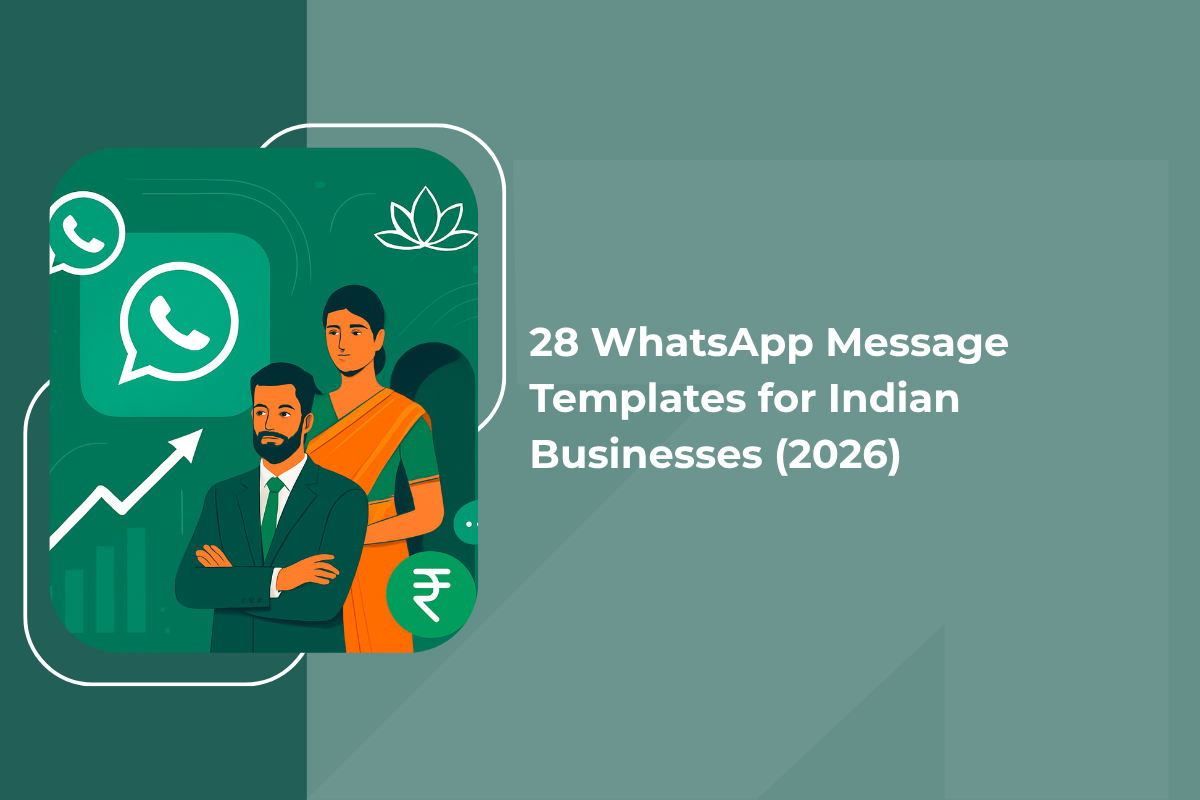
This guide gives you 28 ready-to-use WhatsApp message templates built specifically for Indian businesses - real estate agents, coaching institutes, D2C brands, local service businesses, clinics, and more. Each template comes with a plain-language explanation of why it works, so you can adapt it to your own business rather than just copying it blindly.
How to use these templates the right way
Before you copy and paste, there are four things every Indian business should know about sending WhatsApp messages that do not get blocked or reported.
-
1
Only message people who have opted in
Every number on your list should belong to someone who shared it with you willingly - through a form, a conversation, an in-store visit, or an ad click. Sending these templates to numbers you have purchased or scraped is a fast route to getting your account restricted. WhatsApp tracks block and report rates, and accounts with high rates are suspended.
-
2
Personalise before sending
Every template includes placeholders like [Name], [Product Name], and [Date]. Always fill these in before sending. A message that starts with "Hi [Name]" going to a real person signals that your business does not pay attention - and that first impression is nearly impossible to recover from.
-
3
Use the WhatsApp Business API for scale
The free WhatsApp Business app lets you broadcast to up to 256 contacts at once. If your list is larger, or if you want to set up automated sequences - welcome messages, follow-up flows, cart recovery - you need the WhatsApp Business API through a licensed provider like GrowEasy. For a complete guide to setting up automated WhatsApp sequences, see the complete guide to WhatsApp automation for Indian businesses.
-
4
Keep promotional frequency to 1-2 times per week
WhatsApp is a personal channel. Customers will tolerate transactional messages - confirmations, reminders, updates - at any frequency because they expect and want them. But promotional broadcasts sent more than twice a week start to feel like spam, even to willing subscribers. Stick to a maximum of two promotional messages per week for best results.
These templates are most useful once a lead has already started a conversation with you. The fastest way to fill your WhatsApp inbox with fresh, opted-in leads is through Click-to-WhatsApp ads on Facebook and Instagram - where a customer taps your ad and lands directly in chat. For a detailed guide on running these campaigns, read the complete guide to Click-to-WhatsApp ads for Indian businesses.
Templates 1-3: welcome and first-contact messages
The first message a lead receives from your business sets the tone for everything that follows. It needs to arrive fast, feel warm, and move the conversation forward with a clear next step.
General welcome (works for any business)
Using a name immediately makes the message feel personal, not automated. Introducing yourself signals a real human interaction. The open question at the end invites a reply and starts the qualifying process without any pressure. Short, warm, and action-oriented - this is what a great first message looks like on WhatsApp.
Coaching institute or education inquiry
The mention of limited seats creates gentle urgency without being pushy. Asking two specific questions - exam type and timing - qualifies the lead immediately and lets you send a relevant follow-up rather than a generic brochure. This approach reduces back-and-forth and moves the lead toward a demo class invitation faster.
Real estate property inquiry
Property buyers in India want to feel heard before they feel sold to. This message demonstrates that you are not going to push a random listing - you want to understand their need first. The phrase "right here on WhatsApp" reassures the lead that the entire conversation can happen in their preferred app, removing any expectation of an immediate phone call.
Templates 4-6: lead follow-up messages
Most admissions, bookings, and purchases happen after the third or fourth follow-up - not the first message. A structured follow-up sequence is one of the highest-ROI things any Indian business can build on WhatsApp.
24-hour follow-up
This message is non-pushy and genuinely curious rather than desperate. It gives the lead two easy ways to respond - confirm they are still interested, or ask a question - both of which move the conversation forward. The 24-hour window is the most critical follow-up moment: the lead is still warm, still remembers you, but may have simply forgotten to reply.
72-hour follow-up with a reason to act
By the 72-hour mark, a lead that has not replied needs a reason to re-engage. Introducing a genuine deadline or scarcity element - not a fake one - gives them that reason. Offering two easy next steps (a call or a WhatsApp chat) lets the lead choose the format they are most comfortable with, which increases the chance of a reply.
Final follow-up (7-day check-in)
The phrase "this is my last follow-up" creates a sense of finality that often triggers a response from leads who were simply procrastinating. The low-pressure tone ("no pressure at all") signals confidence rather than desperation, which paradoxically makes the lead more likely to engage. Many conversions happen on this seventh-day message.
Templates 7-9: promotional broadcast messages
A well-written promotional WhatsApp message to an opted-in list consistently outperforms email, SMS, and social media posts for Indian businesses. The key is keeping it short, specific, and easy to respond to.
New product or service launch
"Thought of you first" signals a personal connection, not a mass blast. Limiting the benefit description to one sentence forces you to lead with your strongest point. The "Reply YES" call to action is simple, requires minimal effort, and signals intent - making it easy for you to prioritise your most engaged leads for immediate follow-up.
Flash sale or limited-time offer
Specific deadlines outperform vague urgency. "Valid only until Sunday 11:59 PM" creates a concrete window that motivates action. Keeping the body to three short sentences respects the reader's attention and makes it easy to read in a single glance - which is how most WhatsApp messages are consumed in India.
Limited availability announcement
Authentic scarcity - a genuinely limited number of seats or items - is one of the most powerful purchase motivators in any market. This template works because it does not exaggerate ("hurry, selling fast!") but instead states a specific, believable number. The offer to answer questions removes any remaining objection barrier without creating pressure.
Templates 10-12: appointment reminder messages
No-shows cost Indian service businesses an enormous amount of time and revenue. A simple WhatsApp reminder sequence - confirmation, day-before, same-day - reduces no-shows by 30 to 50 percent in most categories.
Appointment confirmation
Structured formatting - date, time, location on separate lines - makes the key information scannable in seconds. The instruction to "reply to this message" to reschedule sets a low-friction process that customers actually use, which is far better than a no-show with no warning. This message doubles as a written record for both parties.
Day-before reminder
The day-before reminder catches people at the planning stage - when they are laying out tomorrow's schedule and are most likely to confirm or reschedule if something has changed. Ending with "looking forward to seeing you" feels warm and personal rather than administrative, which makes the customer more likely to actually show up.
Same-day reminder
Same-day reminders sent in the morning are the single most effective tool against last-minute no-shows. At this point, the customer is actively planning their day. A short, friendly message that includes directions or a meeting link removes any friction that might cause them to skip. The upbeat ending keeps the tone positive.
Templates 13-15: post-purchase messages
The conversation that happens after a purchase determines whether a customer buys again. D2C brands, service businesses, and retailers that build a post-purchase WhatsApp sequence consistently see higher repeat purchase rates and fewer complaints.
Order confirmation
Order anxiety - the period between placing an order and receiving confirmation - is the highest-stress moment in any online purchase in India. A WhatsApp confirmation that arrives within seconds of the purchase eliminates this anxiety instantly and builds trust in your brand. Promising future updates "right here on WhatsApp" also establishes the channel for all future communication.
Delivery confirmation
The delivery moment is when purchase excitement is at its peak. Reaching the customer at exactly this moment with a warm, helpful message capitalises on that emotion. The promise to fix any issue within 24 hours - stated proactively, before any complaint arises - signals confidence and dramatically reduces the chance of a negative review.
Post-service experience check-in
Asking for honest feedback first - before mentioning a Google review - signals that you actually care about improvement rather than just collecting positive ratings. This approach is more credible and more likely to produce genuine engagement. Customers who had a great experience are far more likely to leave a review when it is specifically requested through a personal WhatsApp message.
Templates 16-18: re-engagement and win-back messages
Lapsed customers and cold leads are your cheapest acquisition channel - they already know your business, and you have already paid to reach them once. A well-timed re-engagement message reactivates a significant portion of them at near-zero cost.
30-day win-back message
The tone is warm and personal rather than transactional. Mentioning improvements to the product or service addresses the unstated reason many customers lapse - they felt something was missing. The offer adds a concrete reason to return, and the simple "Reply YES" mechanism makes it as easy as possible to re-engage without any friction.
Lapsed lead reactivation
Most leads go cold not because they lost interest but because of timing, budget, or indecision. This template reopens the conversation by acknowledging their earlier interest and presenting a genuine reason to look again - a change in the product, price, or offer. It does not assume they are still interested, which removes any pressure and makes a reply feel safe.
Value-first re-engagement
Leading with value rather than a sales message is one of the most effective re-engagement tactics for high-consideration purchases. When a business sends something genuinely useful with no strings attached, it reminds the lead of your expertise and restores goodwill. The "no pressure" closing is disarmingly honest and paradoxically makes the lead more likely to re-engage.
Templates 19-21: festive and seasonal messages
India's festive calendar - Diwali, Navratri, Eid, Pongal, Durga Puja, Christmas, New Year - represents the single largest sales opportunity for most Indian businesses. A WhatsApp campaign timed to a major festival consistently outperforms any other promotional format.
Send festive messages 3 to 5 days before the festival - not on the day itself. By the day of the festival, inboxes are flooded with promotional messages. Reaching your list before the peak gives your offer more visibility and gives customers time to act before they are distracted by celebration.
Diwali offer message
Opening with a festival greeting in Hindi ("Shubh Diwali") immediately creates a warm, culturally resonant tone that stands out from generic English messages. The keyword reply mechanic ("Reply DIWALI") creates a simple, trackable action that generates high engagement because it requires minimal effort and feels interactive rather than passive.
New Year campaign
January is the highest-motivation month of the year for most goal-oriented products - fitness, education, finance, business tools. This template connects your offer directly to the customer's new year mindset rather than just announcing a generic sale. Capping it at the first X customers creates genuine scarcity that motivates quick action.
End-of-year clearance
Year-end sales work because they combine two motivations: the psychological pull of the calendar turning and the practical appeal of clearing stock. Framing it as "our biggest offer of the year" sets a credible expectation for the discount level. The keyword reply keeps the conversation in WhatsApp rather than routing customers to a website where they may be lost.
Templates 22-24: referral messages
Referred customers in India convert at a rate two to five times higher than cold ad leads - and they arrive with built-in trust. A simple WhatsApp referral message sequence, set up once, can generate a steady stream of pre-qualified leads at virtually zero cost.
Referral ask to happy customers
Timing is everything with referral requests. Asking at the moment of highest satisfaction - just after a successful experience - maximises the chance of a referral. The two-way reward ("you both get") makes sharing feel generous rather than transactional, which is culturally very effective in India's relationship-driven market.
Referral reminder with link
Many customers who meant to refer simply forgot. A gentle reminder 14 days later catches them at a different moment in their week and gives them the practical tool they need - the link - to actually do it. Keeping the message short and ending with genuine gratitude keeps the tone warm rather than transactional.
Post-referral thank-you to the referring customer
Closing the referral loop quickly - notifying the referring customer the moment their friend purchases - feels rewarding and reinforces the behaviour. This message also subtly reminds the customer that they have a reward to use, which drives a repeat purchase from the referrer. Both outcomes happen automatically from a single well-timed message.
Templates 25-26: cart abandonment messages
India's ecommerce cart abandonment rate is above 70 percent. Most customers who add a product to cart do not complete the purchase - not because they changed their mind, but because of distraction, hesitation, or slow loading. A WhatsApp cart recovery message sent within 1-2 hours of abandonment consistently recovers 10 to 20 percent of these carts.
First cart recovery (1-2 hours after abandonment)
The phrase "you left something behind" is conversational and slightly playful - it does not feel accusatory or salesy. Offering to answer questions acknowledges that abandonment is often caused by an unresolved doubt about size, quality, returns, or delivery rather than a lack of interest. This message is short because at the 1-2 hour mark, the lead just needs a nudge, not a long sales pitch.
Second cart recovery with incentive (24 hours after abandonment)
At the 24-hour mark, urgency needs to be stronger. This message combines two powerful motivators: scarcity ("almost sold out") and an exclusive incentive (the discount code) that is not available on the regular product page. The 24-hour window on the code creates a deadline that motivates immediate action rather than further delay.
Templates 27-28: review and testimonial request messages
For Indian businesses, Google reviews and WhatsApp testimonials are among the most powerful conversion tools available. A business with 80 reviews consistently outranks and outconverts a business with 10 reviews, even if the product is identical. These two templates make it easy to collect reviews at scale.
Google review request
The phrase "it would mean a great deal to us" is honest and appeals to the customer's desire to help a business they liked. Setting the expectation that it takes less than a minute removes the single biggest barrier to leaving a review - the perceived time cost. WhatsApp has a significantly higher click-through rate on review links than email, making it the right channel for this request.
Video testimonial request
Specifying "30 seconds" and "just shoot it on your phone" removes two major barriers: the perception that it needs to be long and that it needs professional production. Video testimonials from real customers on their phones are among the highest-converting ad creatives available to Indian D2C brands. The reward makes the ask feel fair and reciprocal, which dramatically increases the acceptance rate.
5 mistakes that get WhatsApp accounts banned in India
Using templates effectively requires avoiding the mistakes that cause accounts to be restricted or permanently suspended by WhatsApp. These are the five most common ones.
-
Sending to numbers without consent
Buying a phone number database and broadcasting these templates to strangers is not marketing - it is spam. WhatsApp monitors the percentage of recipients who block or report your messages. If more than 1 to 2 percent do, your account is at serious risk of restriction. Only send to contacts who have genuinely opted in to hear from you.
-
Using unofficial bulk sender tools
Dozens of software tools promise to send bulk WhatsApp messages outside the official API. These tools violate WhatsApp's terms of service and account bans from them are typically permanent. Once your business number is banned, you lose your entire contact list and all conversation history. Only use official API providers like GrowEasy for bulk messaging.
-
Broadcasting more than twice a week
WhatsApp is a personal channel. Customers expect transactional messages at any frequency but will start blocking a business that sends promotional broadcasts more than twice a week. Every block increases your block rate, which directly impacts your account's health and deliverability. One to two well-crafted messages per week consistently outperform daily blasts.
-
Sending messages that read like formal email newsletters
WhatsApp is conversational. Long paragraphs, corporate language, and formal sign-offs feel completely out of place and get ignored or blocked. Every message should feel like it came from a person who knows the recipient. Short sentences, natural language, and a direct ask perform far better than polished marketing copy on this channel.
-
Not responding when leads reply to your templates
A template that generates a reply is only the start of a conversation. Businesses that send great broadcast messages but take hours to respond to the replies they generate lose the lead at the moment of peak interest. Set up automated first-response flows or ensure a team member is monitoring your WhatsApp inbox during business hours. Every unanswered reply is a lost sale.
Frequently asked questions
Easy and fast setup
Marketing Doesn't Have to Be Hard. Let AI Do the Work.
Start getting leads in 5 minutes – no marketing team needed.
Start Now