
Summary:
In 2026, WhatsApp automation is crucial for businesses, with its 98% message open rate and over 3 billion active users. Automated responses, like welcome messages and support replies, enhance customer engagement and operational efficiency. This guide outlines 16 examples and best practices for leveraging WhatsApp's capabilities to improve customer interactions and drive sales, emphasizing the importance of personalization, compliance, and strategic message timing.
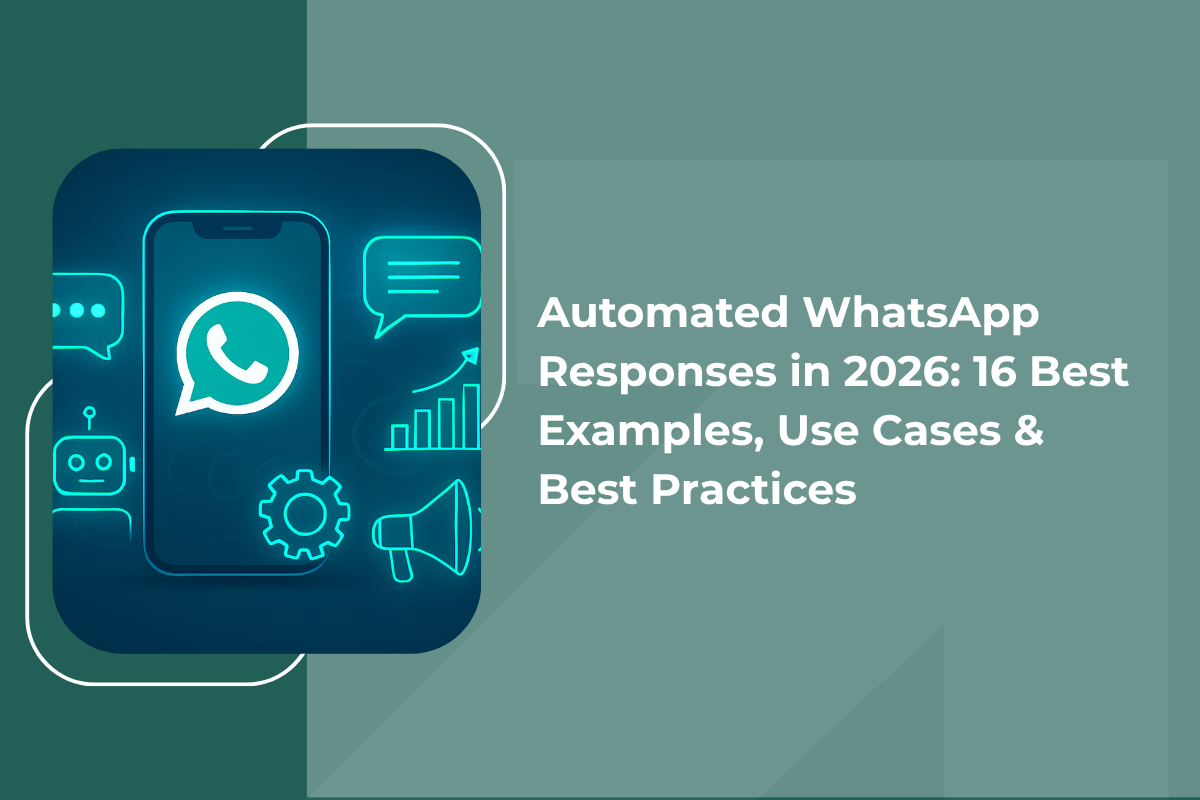
Automated WhatsApp Responses in 2026
Customers today expect a reply in minutes. With over 3 billion monthly active users and a 98% open rate, WhatsApp has become the most powerful business communication channel of 2026. Businesses that respond slowly lose leads to competitors who respond faster.
From instant welcome messages to cart recovery nudges, automated WhatsApp responses keep your business running around the clock. This guide covers 16 automated WhatsApp response examples, top use cases, best practices, and a step-by-step setup to convert conversations into customers.
What is WhatsApp automation?
WhatsApp automation involves using software, chatbots, or APIs to respond to customers on WhatsApp automatically without manual input. The right trigger fires the right message at the right moment, making communication fast and consistent.
Understanding WhatsApp Marketing Automation
WhatsApp marketing automation is the practice of running promotional messages, follow-ups, and campaigns through automated workflows. It runs around the clock, personalises outreach at scale, and responds instantly. A human handles roughly 20 conversations at once. WhatsApp automation handles thousands.
GrowEasy's WhatsApp Marketing software is built on Meta's Official Cloud API and lets you run compliant bulk campaigns, automate follow-ups, and track performance from a single dashboard.
What are automated WhatsApp responses?
Automated WhatsApp responses are preset messages triggered by events such as a new inquiry, a keyword, or a form submission. These include auto-replies, chatbots, and drip sequences that handle FAQs, qualify leads, and automatically route complex queries to agents.
GrowEasy's WhatsApp marketing software is built on Meta's Official Cloud API and lets you run compliant bulk campaigns, automate follow-ups, and track performance from a single dashboard. Read the complete WhatsApp automation guide to explore the full setup.
Why WhatsApp automation is essential in 2026
About 88% of WhatsApp messages are read within five minutes of delivery. Customers expect near-instant replies, and businesses that fail to deliver lose trust quickly. WhatsApp automation for customer engagement ensures no message goes unanswered.
Faster replies
Automation responds within seconds, cutting response times by up to 35%. No lead waits hours for a reply that was sitting in an unmonitored inbox.
Scalability without headcount
One automation setup handles thousands of simultaneous conversations. You do not need to hire for scale - you build flows that scale for you.
Personalisation at scale
Dynamic variables such as names and order IDs make every message feel relevant. Personalised messages consistently outperform generic broadcasts in open rates and replies.
24/7 customer engagement
Automated flows never sleep. A lead who messages at midnight gets a response immediately - and your team picks up the qualified conversation in the morning.
Key features of WhatsApp automation
Automated workflows and triggers
Triggers are the engine of automation. When a customer fills out a form, clicks an ad, or sends a keyword, the right message is automatically triggered - making communication proactive rather than reactive.
AI-powered chatbots
AI-powered chatbots go beyond auto-replies. They understand user intent, ask qualifying questions, and handle complex decisions. WhatsApp chatbots are projected to save 7 billion business hours annually by 2026.
CRM and API integrations
Connecting WhatsApp automation to your CRM lets you trigger messages based on customer data and track every conversation without manual input. Check GrowEasy's complete WhatsApp automation guide to explore the full setup.
Broadcast and drip campaign automation
Broadcast messages reach thousands of opted-in customers instantly. Drip campaigns send timed messages to nurture leads gradually. Together, they form the core of effective WhatsApp marketing automation.
All automated messages must use Meta-approved templates and can only be sent to users who have explicitly opted in. Non-compliance can result in your WhatsApp number being permanently blocked. Always build your list legitimately.
16 best automated WhatsApp response examples
These templates cover every stage of the customer journey. Copy and adapt them for your business - just fill in the bracketed placeholders before sending.
New inquiry welcome
A customer reaches out to your business for the first time.
After-hours auto-reply
Customer messages outside business hours.
Click-to-WhatsApp ad welcome
A lead clicks a WhatsApp ad on Facebook or Instagram.
Returning customer greeting
A past customer messages again.
First impressions determine whether a lead stays or bounces. An instant, personalised welcome reduces the gap between interest and action. A lead who receives a reply in seconds is far more likely to continue the conversation than one who waits minutes - and a lead that continues the conversation is significantly more likely to convert.
FAQ auto-reply
Customer asks a frequently asked question about your product or service.
Complaint acknowledgment
A customer files a complaint or reports an issue.
Ticket status update
A support issue is being tracked and the customer needs a progress update.
Around 77% of customers find chatbots helpful for quick query resolution. Automated support responses handle FAQs, ticket updates, and status alerts without extra staffing - while ensuring every customer gets an immediate acknowledgment that their issue has been received and is being handled.
Lead capture flow
A visitor enquires via a WhatsApp link on your website or ad.
Budget qualifier
Sales team needs to assess lead intent and filter high-value prospects.
Callback request
Lead wants to speak with someone directly rather than chat.
GrowEasy's AI-powered agent automatically qualifies leads and logs them in your CRM before a human ever joins the conversation. Your sales team only speaks to prospects who are genuinely interested - which shortens the sales cycle and dramatically improves the quality of every conversation they have.
Limited-time offer
You are running a flash sale and need to create urgency.
Product recommendation
Customer previously browsed or purchased a related product.
Re-engagement campaign
A lead has not responded in seven days and is going cold.
WhatsApp's near-instant open rates mean your time-limited offers are actually seen while they are still active - unlike email, where a flash sale message might be opened the next day. Behaviour-based personalisation ensures each recipient sees an offer that is actually relevant to them, which is why conversion rates on WhatsApp promotional campaigns consistently outperform email.
Order confirmation
Customer completes a purchase on your website or app.
Delivery update
An order is out for delivery and the customer needs a proactive update.
Appointment reminder
Customer has an upcoming booking, consultation, or session.
Transactional messages consistently achieve the highest open rates of any WhatsApp message category because customers genuinely want and expect them. They are also a major missed opportunity - most businesses treat them as one-way notifications, when adding a product recommendation, a loyalty nudge, or a review request to an order confirmation costs nothing and can meaningfully lift revenue per customer.
Top use cases of WhatsApp automation by industry
Customer support
Handle FAQs, ticket updates, and status alerts without extra staffing. Around 77% of customers find chatbots helpful for quick query resolution.
Customer engagement
Personalised offers and re-engagement campaigns keep customers returning. WhatsApp automation can drive up to 120% increases in upselling conversion rates.
Sales and lead nurturing
Lead nurturing and follow-up drips move prospects through the funnel. Automation warms up each lead so your sales team's time is spent closing, not chasing.
eCommerce
Order confirmations, cart recovery, and delivery updates are all managed automatically. Businesses recover up to 70% of abandoned carts with timely WhatsApp nudges.
Best practices for automated WhatsApp responses in 2026
-
1
Keep messages personalised and human-like
Use the customer's name and relevant context in every message. A personal tone consistently outperforms a generic broadcast in open rates and replies. Dynamic variables make this scalable without manual effort.
-
2
Use clear triggers and smart workflows
Map every customer journey touchpoint and assign a specific trigger to each one. A well-built workflow ensures no lead slips through and that every customer receives a timely, relevant response at exactly the right moment.
-
3
Avoid spam and over-automation
More messages do not mean better results. Sending too frequently leads to opt-outs and block reports - which damage your account health and reduce deliverability of all future messages. Focus on value-driven messages with a clear purpose behind each send.
-
4
Optimise timing and frequency
Send messages when your audience is active - late morning and early evening for most Indian consumer audiences. Space drip messages to mimic the natural pace of a real conversation rather than flooding an inbox in one day.
-
5
Ensure compliance with WhatsApp policies
Use only Meta-approved templates and message users who have opted in. Non-compliance can result in your WhatsApp number being permanently blocked. Build your list legitimately and always provide a clear opt-out path.
How to set up WhatsApp automation: step by step
-
1
Choose the right WhatsApp Business platform
Select a platform powered by the Official WhatsApp Business API - this guarantees reliable delivery, full compliance, and long-term account safety. GrowEasy is built on Meta's Official Cloud API, ensuring every message reaches the inbox without spam filters.
-
2
Define your automation goals
Decide what you want automation to achieve: faster support, better leads, or improved follow-ups. Clear goals lead to smarter workflows. Starting with one goal and one flow is better than building everything at once.
-
3
Create message templates
Draft templates with personalisation variables and clear calls to action. Submit them to Meta for approval before running any outbound campaign. GrowEasy's AI can generate compliant templates automatically based on your business details.
-
4
Set up workflows and triggers
Connect each trigger to its template. A form submission, for example, triggers a welcome message that branches based on the user's reply. Map the full conversation flow before going live to ensure no dead ends.
-
5
Test and optimise
Test conversations before going live. Review open rates, replies, and conversions regularly, then adjust messages and timing based on actual data. The best WhatsApp automation is never finished - it is always improving.
GrowEasy lets Indian businesses launch their first WhatsApp automation campaign in under 5 minutes with a starting ad budget of just Rs. 1,000. AI handles template creation, audience targeting, and performance tracking - no technical setup or agency required.
Common challenges in WhatsApp automation (and how to solve them)
-
Over-automation feels cold
Use warm, conversational language in every template and always offer a clear path to speak with a real person. Customers who feel they are trapped in a bot loop will block you. Build human escalation into every automated flow from the start.
-
Chatbots cannot handle complex queries
Not every issue can be solved by a chatbot. Build escalation flows that detect frustrated messages and route them to a live agent without losing the conversation context. The best automation knows when to hand off - and does it seamlessly.
-
Message fatigue leads to opt-outs
Too many messages in a short time leads to opt-outs and brand damage. Set frequency caps in your workflow setup and study engagement patterns to find the right cadence for your specific audience. Fewer, better-targeted messages always outperform frequent, generic ones.
Future trends in WhatsApp automation (2026 and beyond)
AI-powered conversations
AI chatbots now understand context, sentiment, and intent with high accuracy. The AI-powered WhatsApp automation market is projected to reach $3.2 billion by 2028.
Hyper-personalisation
Future automation will use behavioural data and real-time signals to deliver targeted messages at the perfect moment, making each interaction feel individually crafted.
Omnichannel integration
WhatsApp automation connects with Instagram, email, SMS, and CRM platforms through unified flows for a consistent experience across every customer touchpoint.
Predictive customer engagement
AI will predict when a customer is about to churn or ready to buy, triggering the right message before they even realise they need it - moving from reactive to genuinely proactive marketing.
WhatsApp automation is no longer optional for businesses that want to grow in 2026. With a 98% open rate and the ability to scale without growing your team, it is the most effective channel available today. The 16 automated response examples in this guide cover every stage of the customer journey - pair them with smart triggers and consistent testing to see real improvements in engagement, support, and sales.
Frequently asked questions
Easy and fast setup
Marketing Doesn't Have to Be Hard. Let AI Do the Work.
Start getting leads in 5 minutes – no marketing team needed.
Start Now